Decide how many credits you are willing to spend on one usable clip before you generate. Get the price from the specific template or checkout screen you see. Track the balance after the job settles. If the next attempt would take you over your limit, stop.
SpicyBox’s public page promotes a free first generation. Check whether the offer appears for your account and selected template before counting it in your budget. The provider’s Terms describe consumed credits as final and set a restrictive refund policy, subject to what the law requires or the service expressly states. They do not tell you which charge an individual failed job will show in your account.
Set the budget before you buy a pack
Choose one goal, such as a short clip with a steady face and an unobtrusive background. For any test on SpicyBox, you must be an eligible adult and the only person visible in the photo. Use a non-explicit self-photo you control and leave out images of other people.
Write down three numbers before you begin.
- Your ceiling. How many credits are you willing to use on this one clip?
- The quote for this attempt. Record what the chosen template and settings show. Check it again if you change options.
- Your settled balance. Exclude purchases or unrelated jobs when comparing the before and after balances. If you cannot isolate the job, check the account history before attributing a charge to it.
If credits come in a pack, keep the pack cost and your session budget separate. Suppose a fictional pack costs US$12 for 240 usable credits. At that pack rate, consuming 90 credits works out to US$4.50 in allocated value. You still pay the full pack price at checkout, and unused credits only have value to you if you can use them. Check any expiry, taxes and billing terms shown before purchase.
Work out the cost of the clip you keep
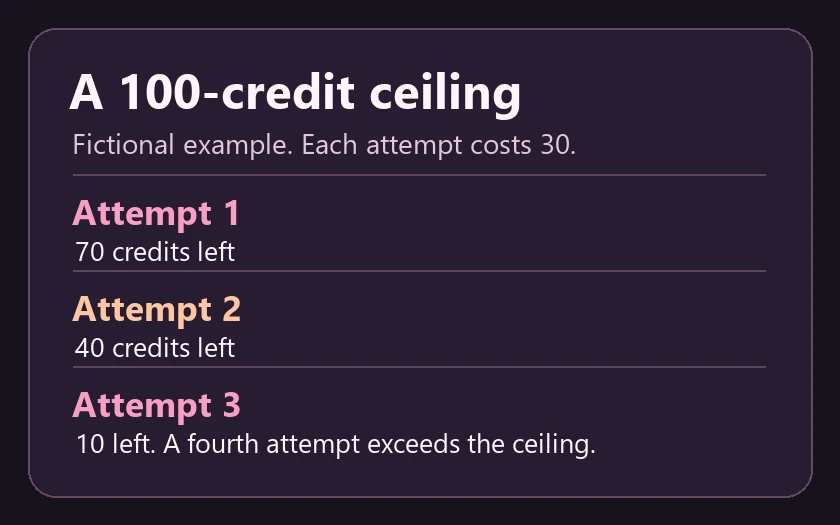
We ran the arithmetic on an example with a 100-credit ceiling and a 30-credit quote per attempt. Three settled charges left 10 credits. If only the third result was usable, the one clip you keep cost 90 credits, including the two clips you discarded. These numbers are made up for the example and describe no SpicyBox tariff or measured charge.
Review the result once at normal speed and pause at the point where it falls short. Give a retry a job you can name, such as changing a template that moves the camera too much. Change one variable at a time so you can tell whether the change addressed the problem. If the first clip passes your checklist, keep the rest of the budget.
Record a failed job before you retry
A clip you dislike, a job still processing and a job that displays an error are three different events. An on-screen error alone leaves the balance question open. Wait for a final status, then check whether the balance changed or a pending entry cleared.
For a settled charge with no usable result, keep the job ID if available, the time and time zone, the template, the quoted amount and the balance before and after. Take a screenshot of the relevant status and balance with private material cropped out. Ask the provider through its listed support channel to reconcile the entry before submitting another job. Keep the payment receipt for a billing question and leave your source photo out of the support message unless there is a clear reason to provide it.
If the quote is unclear or the first job remains unresolved, pause. A second attempt makes the charge harder to trace. For the separate question of what happens to credits and files when you close the account, see the account deletion checklist.